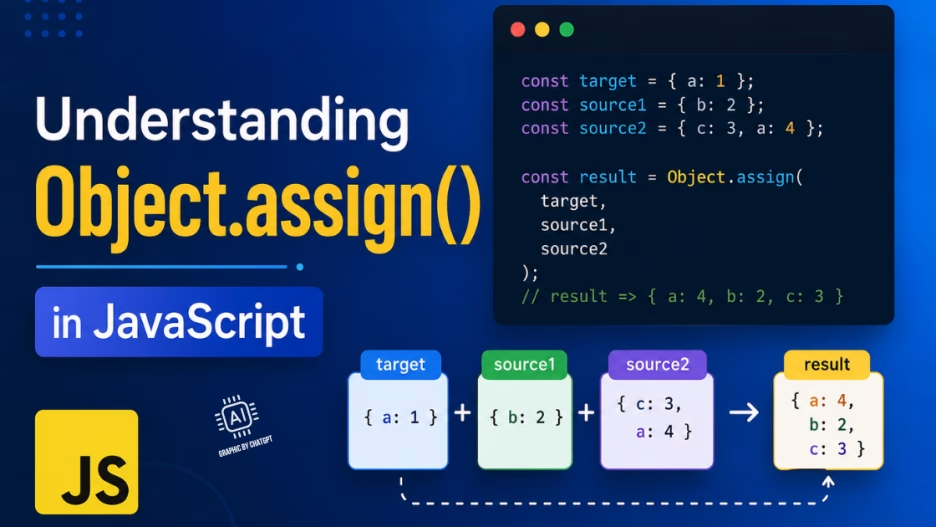
If you’ve been writing JavaScript for a while, you’ve almost certainly come across Object.assign(). It’s one of those utility methods that shows up everywhere — in React code, configuration merging, and object cloning. But it’s also one of the most misunderstood. Let’s break it down.
What Is Object.assign()?
Object.assign(target, ...sources) copies all enumerable own properties from one or more source objects into a target object, then returns the modified target.
const target = { a: 1 };
const source = { b: 2, c: 3 };

Object.assign(target, source);

console.log(target); // { a: 1, b: 2, c: 3 }
Simple enough. But the details matter a lot.
Key Behaviors to Know
1. It Mutates the Target
This is the most common gotcha. Object.assign() modifies the target object in place. If you don’t want that, pass an empty object as the first argument:
// ❌ Mutates original
Object.assign(myObj, updates);

// ✅ Creates a new object
const result = Object.assign({}, myObj, updates);
2. It’s a Shallow Copy
Nested objects are not deeply cloned — they’re copied by reference. This is a subtle but important distinction:
const a = { nested: { x: 1 } };
const b = Object.assign({}, a);

b.nested.x = 99;

console.log(a.nested.x); // 99 — both point to the same object!
If you need a deep clone, use structuredClone(obj) (available in modern environments) or a library like Lodash’s _.cloneDeep().
3. Later Sources Win
When multiple sources have the same key, the last one wins:
const defaults = { color: 'blue', size: 'medium' };
const userPrefs = { color: 'red' };

const config = Object.assign({}, defaults, userPrefs);
// { color: 'red', size: 'medium' }
4. Own and Enumerable Properties Only
Inherited properties (from the prototype chain) and non-enumerable properties are skipped. This is usually what you want, but it’s worth knowing.
Common Use Cases
Merging Configuration Objects
const defaults = { timeout: 3000, retries: 3, verbose: false };
const userOptions = { timeout: 5000 };

const config = Object.assign({}, defaults, userOptions);
// { timeout: 5000, retries: 3, verbose: false }
Shallow Cloning an Object
const original = { name: 'Alice', age: 30 };
const copy = Object.assign({}, original);
Adding Properties to an Existing Object
const user = { name: 'Bob' };
Object.assign(user, { role: 'admin', active: true });
// user is now { name: 'Bob', role: 'admin', active: true }
Object.assign() vs. Spread Syntax
In modern JavaScript, the spread operator (...) is often a cleaner alternative for merging objects without mutation:
// Object.assign
const merged = Object.assign({}, defaults, overrides);

// Spread (equivalent, often preferred)
const merged = { ...defaults, ...overrides };
Both are shallow. The spread syntax is more concise and easier to read in most cases. However, Object.assign() still has its place — particularly when you explicitly need to mutate an existing object, or when targeting environments where spread syntax isn’t available.
Quick Reference
| Feature | Object.assign() | Spread (…) | structuredClone() |
|---|---|---|---|
| Mutates target | ✅ Yes | ❌ No | ❌ No |
| Deep copy | ❌ No | ❌ No | ✅ Yes |
| Multiple sources | ✅ Yes | ✅ Yes | ❌ No |
| Returns new object | Returns target | ✅ Yes | ✅ Yes |
Summary
Object.assign() is a reliable, well-supported method for merging and copying objects in JavaScript. Just keep these rules in mind:
- It mutates the target — pass
{}as the first argument to avoid this. - It performs a shallow copy — nested objects are shared by reference.
- Later sources overwrite earlier ones on key conflicts.
- For non-mutating merges, prefer the spread operator.
- For deep cloning, use
structuredClone().
Understanding these nuances will save you from some of the most common JavaScript bugs in the wild.